Print Business Envelopes Faster & Easier
Print professional envelopes directly from an easy-to-use Excel-based software. Save recipient details, add your company branding and print single or multiple envelopes with ease.
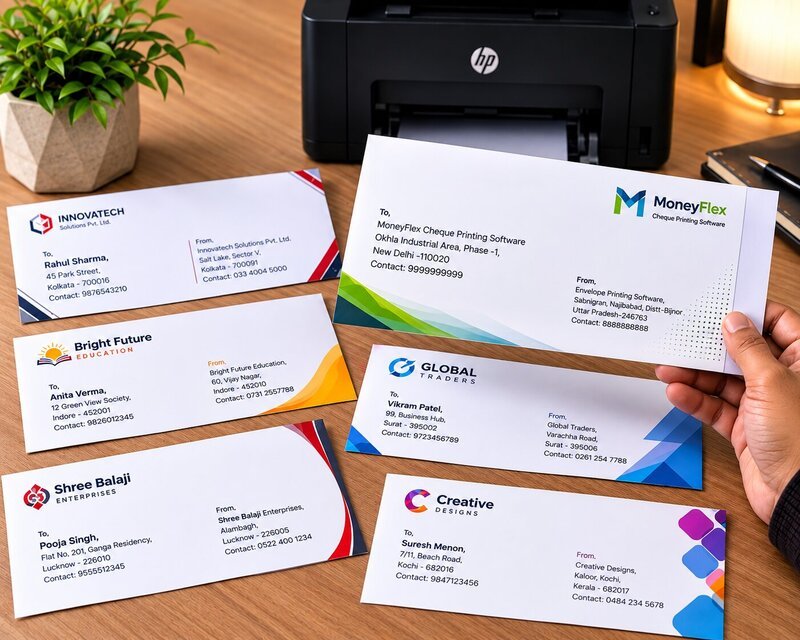
Still Printing Envelopes Manually?
Repeatedly typing addresses and company details can waste valuable office time.
❌ The Manual Way
- Type the recipient address again and again
- More chances of typing mistakes
- Printing multiple envelopes takes time
- Company details may need to be entered repeatedly
- Difficult to manage a large recipient list
✓ The Easier Way
- Maintain recipient information in one list
- Save your company details once
- Select the recipient you want to print
- Print individual or multiple envelopes
- Add your company logo and branding
Everything You Need for Easy Envelope Printing
Simple tools designed to make everyday business envelope printing faster and more organized.
Recipient List
Maintain company names, addresses, contact numbers and other recipient information in one organized list.
Single Envelope Printing
Select any recipient and quickly prepare their envelope for printing.
Bulk Printing
Print multiple envelopes by selecting the required record range from your list.
Save Company Details
Enter your company name, address, contact number, email and website once.
Company Logo
Add your company logo to give your envelopes a more professional appearance.
Confidential Option
Mark envelopes as confidential when sending sensitive or important documents.
Return Address
Display your return address and contact information on the envelope.
Packet Information
Mention what is inside the packet such as Invoice, Material, Quotation or Documents.
Excel Based
Work with an easy-to-understand interface powered by Microsoft Excel.
Print Multiple Envelopes at Once
Don’t waste time preparing envelopes one by one. Maintain your recipient list and print the required records in bulk.
Enter your recipients once. Print envelopes whenever you need them.
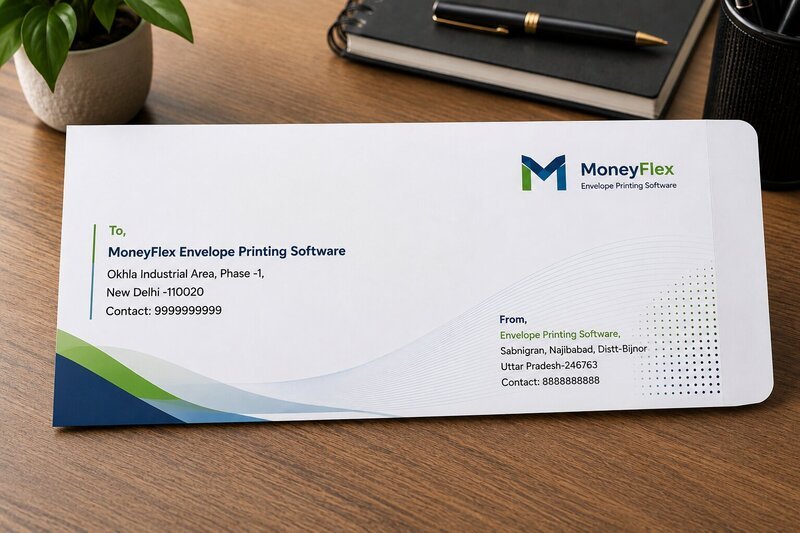
How Does It Work?
Getting started is simple. Prepare your details, select a recipient and print.
Enter Your Details
Enter your company information, return address and logo. Save it once and use it whenever you need to print.
Add Recipient Details
Add recipient names, company names, addresses and other required information to your list.
Select & Print
Select the required record and use Print Envelope or Bulk Print to print your envelopes.
See the Software in Action
Take a look at the simple interface designed for everyday envelope printing.
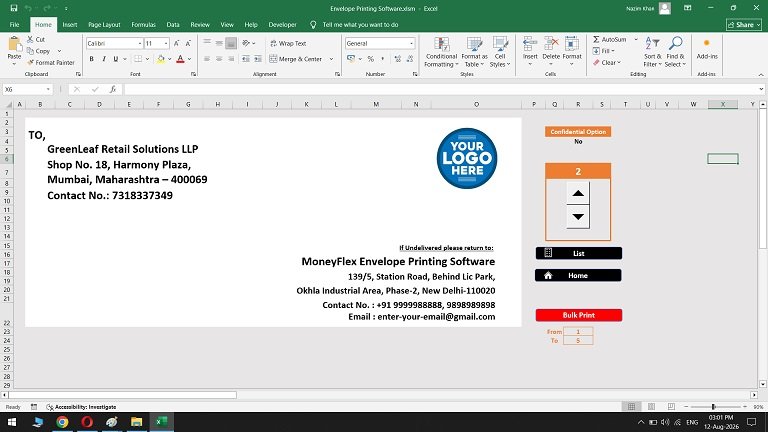
Professional Envelope Preview
See your envelope information before printing.
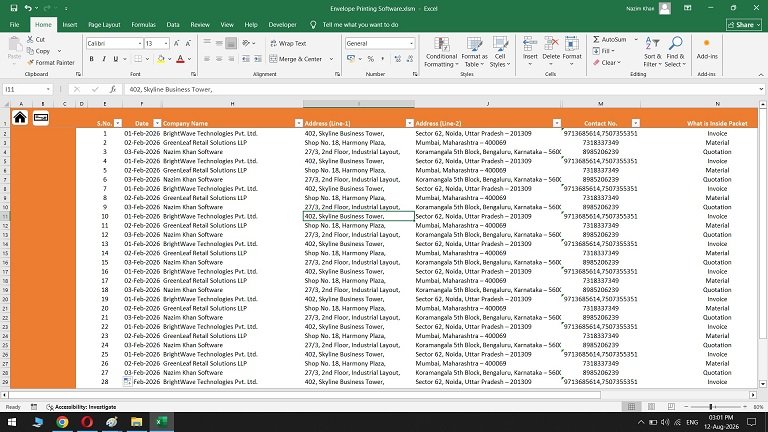
Manage Recipient Records
Keep your recipient information organized in one place.
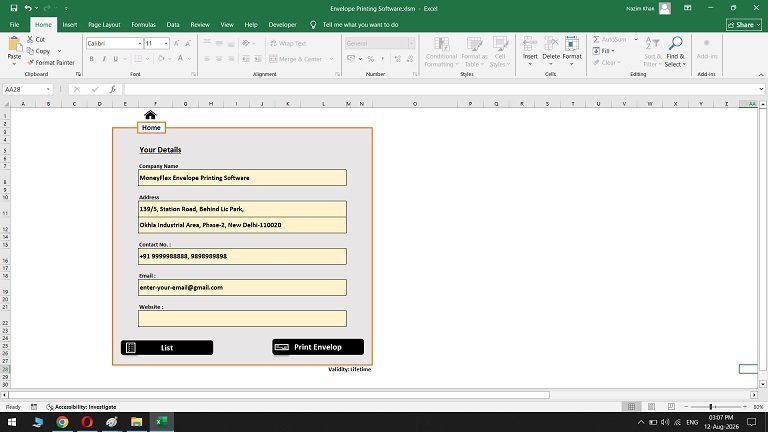
Save Your Company Details
Store your company information for quick and easy printing.
Perfect for Businesses & Offices
Ideal for organizations that regularly send letters, documents and business correspondence.
Use It for Different Business Correspondence
Prepare professional envelopes for different types of office documents.
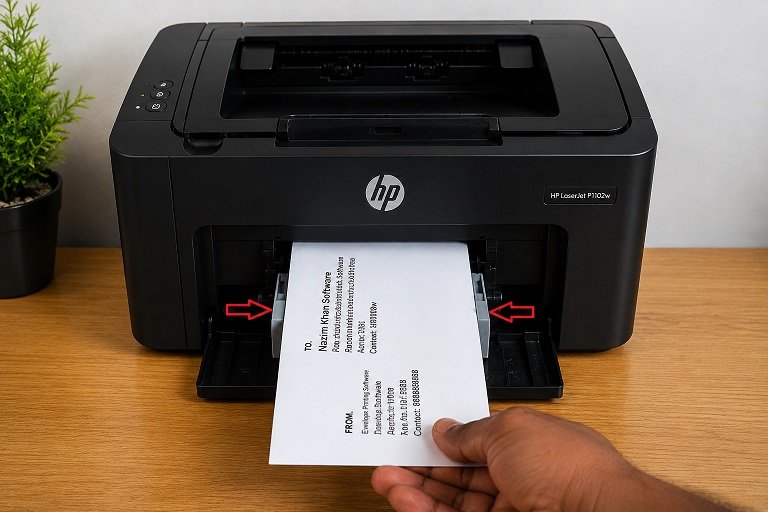
Make Every Envelope Look Professional
Add your company information and branding to create professional-looking envelopes for your business correspondence.
- Company Name
- Complete Address
- Contact Number
- Email & Website
- Company Logo
- Return Address
- Confidential Option
Manual Printing vs. Envelope Printing Software
See why an organized envelope printing workflow can save time.
| Manual Method | With Our Software |
|---|---|
| Type addresses manually | Maintain recipient records |
| Repeated data entry | Enter data once |
| More chances of typing mistakes | Organized recipient information |
| Print one envelope at a time | Bulk printing available |
| Re-enter company details | Save company details once |
| Difficult to manage recipients | Centralized recipient list |
| Time-consuming workflow | Faster & easier workflow |
What Our Customers Say
See what users have to say about their experience with our Envelope Printing Software.
“Very simple to use. I don’t have to type the same address again and again. The recipient list makes my work much easier.”
“The bulk printing option is really useful for our office. We regularly need to print multiple envelopes at once.”
“Setting up our company details was easy. Once everything was saved, printing envelopes became much faster.”
“I like that the software is Excel-based. It was easy for our staff to understand without learning a completely new system.”
“The logo option gives our envelopes a much more professional look. Very useful for business correspondence.”
“We have a large list of customers and vendors. Keeping all recipient details in one place saves us a lot of time.”
“The software is straightforward and does exactly what we need for regular envelope printing.”
“Bulk printing has made our monthly document dispatch process much easier. We can prepare several envelopes quickly.”
“The return address feature is convenient because our company information is already available whenever we need to print.”
“I tested the software during the free trial and found it very easy to use for our office requirements.”
“Having recipient information saved in a list is much better than entering addresses manually every time.”
“The interface is clean and simple. Our staff was able to understand the basic workflow very quickly.”
“We frequently send official documents and quotations. This has made preparing envelopes much more convenient.”
“The confidential option is useful when we are sending important business documents.”
“Easy to understand, easy to maintain recipient details and much quicker than our previous manual process.”
“The 3-day trial gave us enough time to check whether the software suited our workflow before purchasing.”
“We use it for customer correspondence and regular document dispatch. It has simplified our envelope preparation process.”
“The ability to print a selected range of records is especially helpful when we have several envelopes to prepare.”
“Good solution for offices that regularly print business envelopes. The workflow is simple and practical.”
“Overall a useful tool for regular envelope printing. The combination of saved recipient details and bulk printing saves time.”
System Requirements
Make sure your computer meets the basic requirements before installing the software.
Microsoft Excel with macros/VBA enabled may be required.
Frequently Asked Questions
Everything you need to know before trying the software.
Is there a free trial?
Yes. You can try the Envelope Printing Software free for 3 days before deciding whether to purchase the paid version.
Do I need Microsoft Excel?
Yes. The software is Excel-based and requires a compatible version of Microsoft Excel.
Does the software work on Mac?
Yes, it can work on Mac as long as Microsoft Excel is installed. Microsoft Excel is required to run the software.
Can I print multiple envelopes?
Yes. The software includes a bulk printing option that allows you to select the required records and print multiple envelopes.
Can I add my company logo?
Yes. You can add your company logo and company information to make your envelopes look more professional.
Can I save recipient details?
Yes. Recipient information can be maintained in the software’s organized list so that you don’t have to repeatedly type the same information.
Can I print confidential envelopes?
Yes. The software includes a Confidential option for documents or packets that require confidential marking.
Can I test the software before buying?
Yes. You get a 3-day free trial so you can test the software with your own requirements.
What happens after the 3-day trial?
After the trial period, you can purchase the full paid version if you are satisfied with the software.
Is this software suitable for businesses?
Yes. It is designed for offices and businesses that regularly print envelopes for customers, clients, vendors and official correspondence.
Ready to Make Envelope Printing Easier?
Stop typing the same addresses again and again. Try the Envelope Printing Software and see how easily you can manage and print your business envelopes.
Try it first. If you like it, upgrade to the full version.